
AI Fantas vs. Meitu Design Studio: Preset Templates vs. Multi-Model Node Pipelines
Meitu Design Studio excels at fast Chinese promotional poster templates, portrait retouching, and quick marketplace badges. AI Fantas is built for sellers who want custom non-template studio lighting, side-by-side multi-model selection, reusable node pipelines, cross-border Western/Asian lifestyle scenes, and first-frame product videos.
When should sellers pair or replace Meitu Design Studio with AI Fantas?
Keep template editors when your team mainly swaps promo stickers and price typography on static banners. Switch to AI Fantas when generic stock backgrounds hurt click-through differentiation and you need multi-reference fidelity, cross-border scenes, 4K upscaling, and product video in one pipeline.
AI Fantas vs. Meitu Design Studio: 6-Dimension Comparison
| Evaluation Dimension | AI Fantas | Meitu Design Studio |
|---|---|---|
| Core Architecture | Conversational Studio Chat + cloud Node Workflow Canvas | 2D graphic poster layout editor + single-click AI cutout/try-on tools |
| Visual Originality | Reference-guided lighting and custom scenes avoid cookie-cutter templates | Speed-oriented around curated marketplace promo templates and stickers |
| Model Diversity | Compare and switch multiple image & video models in one workspace | Proprietary single-vendor imaging pipeline |
| Virtual Try-On Control | Two-reference nodes pair a fixed store model with rotating garment flat-lays | Preset AI model catalog and standard pose selection |
| Video & 4K Workflow | Inline 4K upscale + first-frame anchored video (1-60s) on the same canvas | Centered on static graphic design and marketplace banners |
| Credit Safety | Upfront per-job quote + automatic full refund on upstream failures | Subscription tier entitlements plus feature-specific credit packs |
Why E-Commerce Teams Add or Switch to AI Fantas from Meitu Design Studio
Preset background libraries look identical across competing stores
When multiple sellers pick the same built-in props, listings blend together. AI Fantas lets you compose custom lighting, materials, and negative space via references and chat.
One-engine limits when tackling tricky glass, metal, or garments
AI Fantas unites multiple leading visual and video models under one balance so you can match the right model to each SKU.
Missing downstream Node Canvas & video continuity
Branch one approved hero directly into 4K detail upscaling and a 5-second storefront motion clip without switching apps.
Cross-border readiness for Amazon, Shopify & TikTok Shop
Native English playbooks and overseas lifestyle staging eliminate domestic studio look-and-feel on global storefronts.
- Brands wanting distinctive commercial lighting and lifestyle photography instead of shared marketplace templates.
- Cross-border sellers running Amazon, TikTok Shop, and Shopify listings needing authentic overseas settings.
- Teams combining static hero generation, 4K detail crops, and product video in cloneable node pipelines.
- Daily promo badge layouts, Chinese sale-price overlays, and quick typographic e-commerce banners.
- Teams prioritizing portrait beautification and zero-prompt 2D poster template swaps.
- Workflows built entirely around ready-made Chinese holiday and marketplace campaign frames.
10-Minute Side-by-Side Evaluation Plan
- Upload one standard product photo to AI Fantas Studio Chat and skip preset background stickers.
- Describe natural stone or tabletop lighting plus clean space for later typography overlay.
- Clone a matching /community graph into the Node Canvas so your team can reuse the exact lighting setup.
- Connect a 4K upscale node or 5-second slow push-in video node to finish the asset bundle.
Custom daylight stone tabletop hero (non-template studio look)
Published Workflow Case Breakdowns
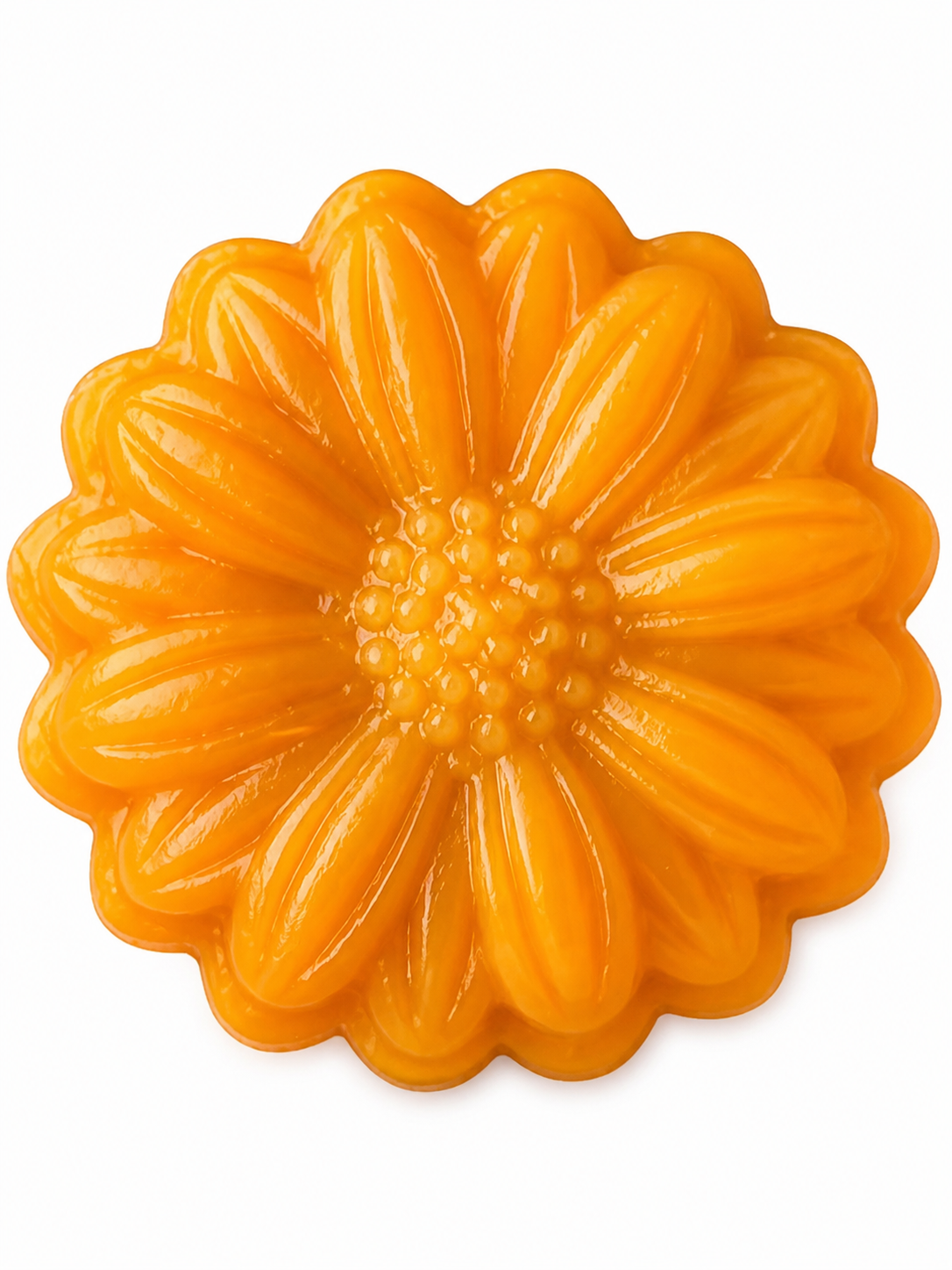 Product photography
Mooncake product photo: from crop to clean hero
A published product workflow that cleans up a hero image before exploring product views and gift packaging. This excerpt focuses on its product-photo step.
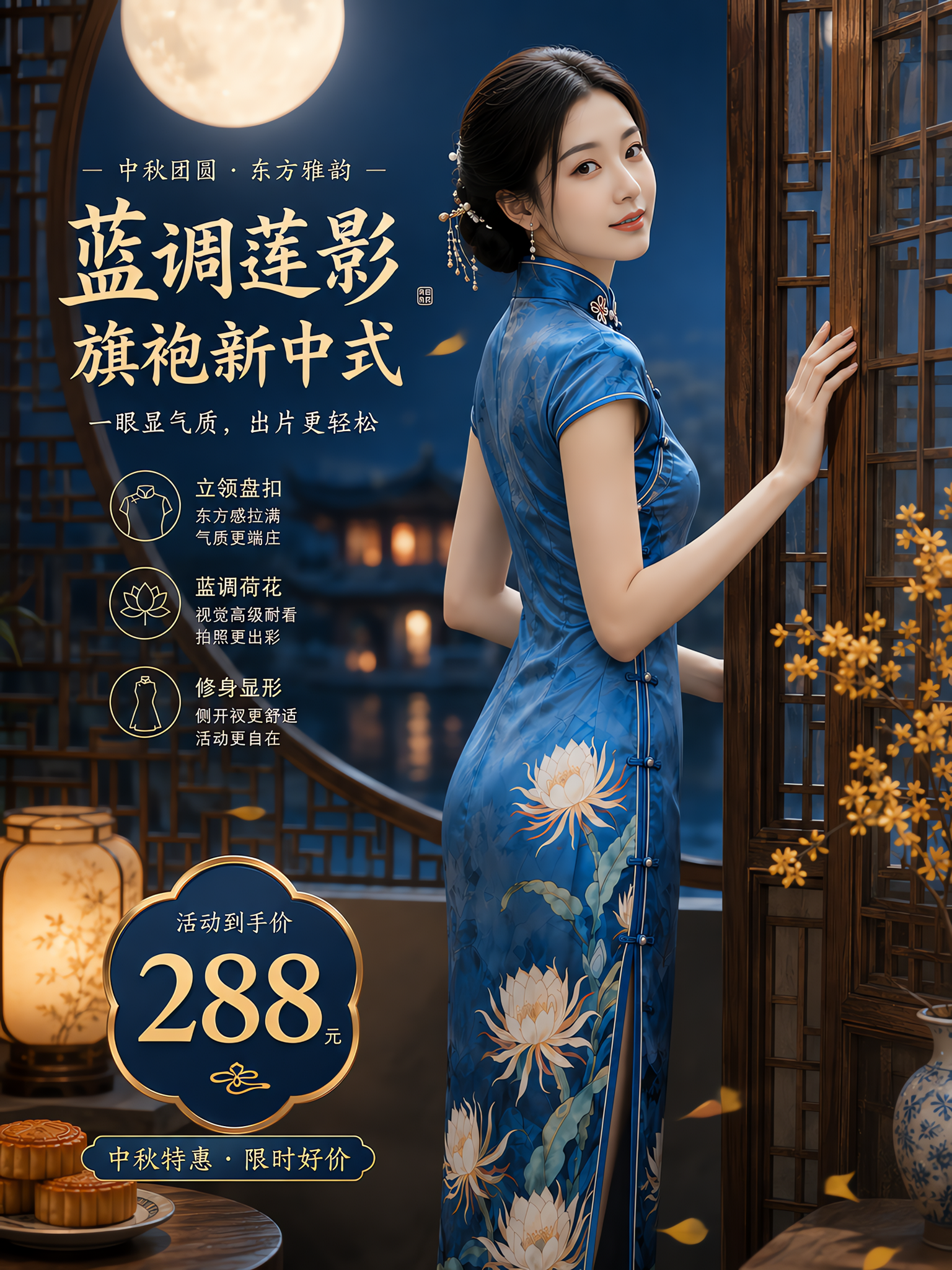 Virtual try-on
Blue qipao: a two-reference fashion composition
The published graph prepares garment and model references before combining two images in a try-on step. The original upload, step references and result are shown separately.
Frequently Asked Questions
Should AI Fantas render promotional price text directly inside generated photos?
We recommend generating clean commercial photography with intentional negative space in AI Fantas, then overlaying exact pricing and campaign badges in your layout tool so numbers stay editable and crisp.
Can non-designers use AI Fantas without learning node engineering?
Yes. Operators can edit in plain Chinese or English inside Studio Chat, or clone existing community templates in one click and only swap the product photo.
How do I keep a consistent virtual model face across a whole apparel collection?
Use a two-reference node setup: keep Image 1 locked to your chosen model portrait and swap Image 2 for each new flat-lay or hanger photo.
Related AI Fantas Modules & Channel Playbooks
AI Product Photography
Cloud AI product photography by AI Fantas for Shopify, Amazon, and DTC brands. Replace physical studio shoots with perspective-matched scenes, batch variations, and 4K upscaling.
AI Virtual Try-On
AI virtual try-on and fashion model generation by AI Fantas. Keep collars, prints, and fabric drape accurate across Asian, European, and North American lookbooks.
Cross-Border Localization
Cross-border ecommerce visual localization by AI Fantas for Shopify, Amazon FBA, TikTok Shop, Temu, and Shein sellers.