
AI Fantas vs. Huiwa: Beyond Single Apparel Try-On into Full-Storefront Pipelines
Huiwa is built around quick apparel try-on and domestic social copy workflows. When your team also produces hard-goods hero shots, multi-panel detail sets, cross-border Western/Asian lookbooks, and image-to-video storefront clips inside reusable node graphs, AI Fantas gives you one unified workspace.
When do apparel and multi-category sellers choose AI Fantas over Huiwa?
If your catalog is strictly domestic clothing needing preset model swaps and short captions, Huiwa offers a direct form workflow. Choose AI Fantas when you want explicit two-reference control (model + garment), full support for skincare/jewelry/CPG products, 4K upscaling, and browser-based video pipelines.
AI Fantas vs. Huiwa: 6-Dimension Comparison
| Evaluation Dimension | AI Fantas | Huiwa |
|---|---|---|
| Category Coverage | Apparel virtual try-on plus skincare, jewelry, food, electronics & home goods | Primarily centered on fashion try-on and social seeding posts |
| Try-On Graph Control | Explicit two-reference node setup (Model + Garment) with inspectable history | Form-based model library selection with preset styling templates |
| Workflow Reusability | Infinite Node Canvas with 1-click community graph cloning across teams | Individual task submissions with saved history outputs |
| Detail Pages & 4K Upscaling | Modular 6-plate detail workflow plus downstream 4K upscale nodes | Focused mainly on single lookbook frames and social captions |
| Image-to-Video Continuity | Built-in 1-60s video nodes anchored to approved static frames | Primarily static product and fashion image generation |
| Upfront Quotes & Refunds | Clear credit quote pre-run + automatic full refund on upstream failures | Credit consumption per task within platform tiers |
Why E-Commerce Teams Add or Switch to AI Fantas from Huiwa
Hard-goods SKUs need specialized lighting & label fidelity
Bottles, watches, and food packaging rely on multi-model flexibility and reference-locked studio prompts beyond apparel try-on.
Explicit two-reference separation in Node Canvas
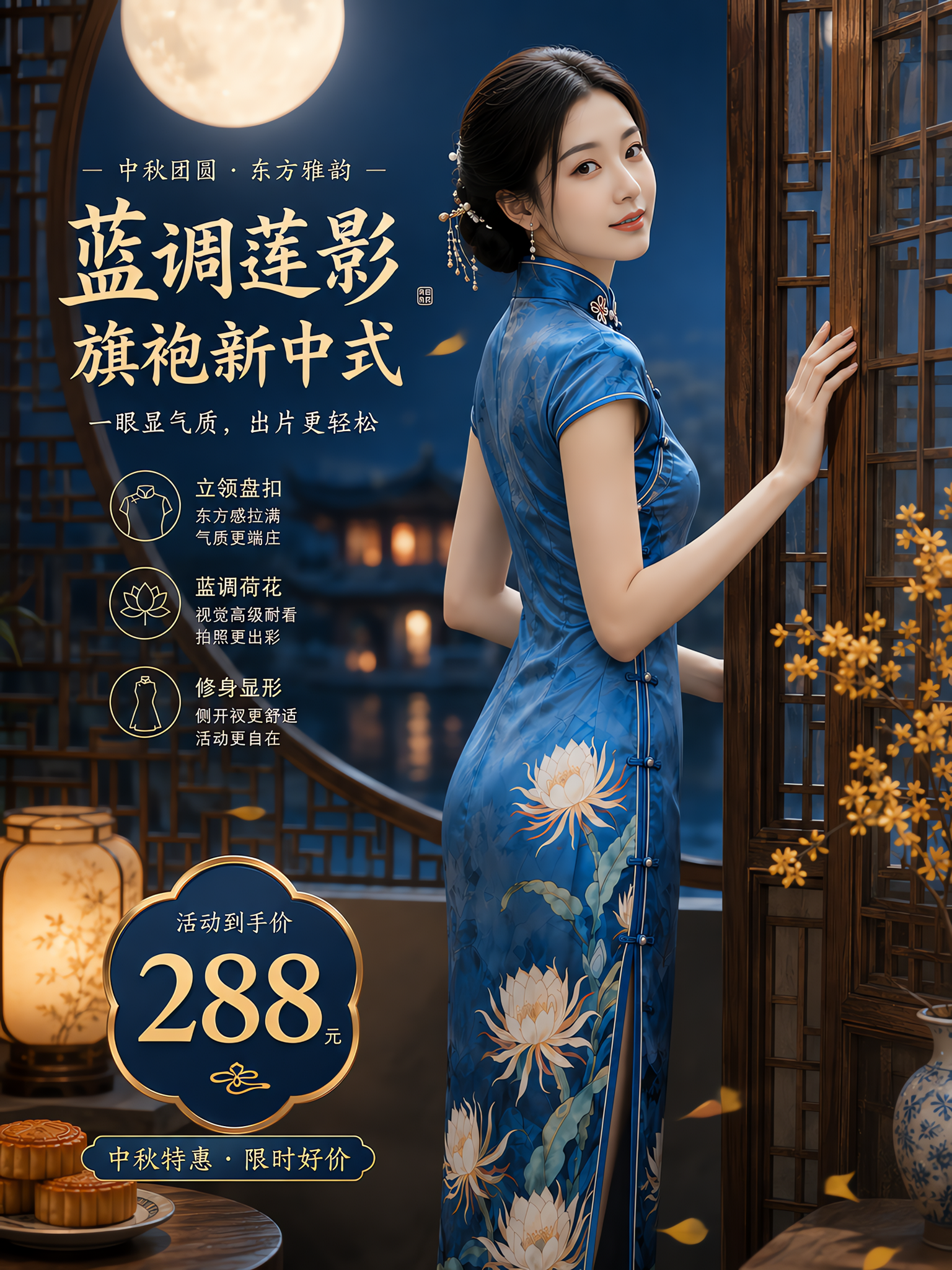
Inspect /en/cases/blue-qipao-virtual-try-on to see how keeping Model Reference (Image 1) separate from Garment Reference (Image 2) stabilizes brand lookbooks.
Direct handoff from approved try-on frames to video clips
Anchor an approved static model image as frame 1 in a video node for natural storefront motion clips without re-uploading.
Global marketplace readiness across Amazon, Shopify & TikTok Shop
Native English workflows, diverse regional model casting, and 6 supported UI languages simplify cross-border expansion.
- Agencies and multi-category sellers handling fashion try-on alongside packaged CPG, beauty, and electronics.
- Cross-border apparel sellers creating localized US/EU/JP/KR model lookbooks and TikTok Shop clips.
- Teams wanting cloneable node graphs that lock a consistent store model across seasonal drops.
- Domestic apparel merchants tightly integrated with quick social seeding captions inside one marketplace ecosystem.
- Simple single-garment swaps using preset model faces with no need for multi-branch node pipelines.
- Workflows that never extend into 4K product detail sets or video generation.
10-Minute Side-by-Side Evaluation Plan
- Inspect /en/cases/blue-qipao-virtual-try-on to see the two-reference try-on node structure.
- Click the starter handoff into Studio Chat and replace Image 2 with your own flat-lay or mannequin photo.
- Inspect collar lines, closures, print placement, and hands at full resolution before approving.
- Send the approved frame to a 4K upscale or gentle motion video node.
Two-reference flat-lay to natural window daylight fashion shot
Published Workflow Case Breakdowns
 Virtual try-on
Blue qipao: a two-reference fashion composition
The published graph prepares garment and model references before combining two images in a try-on step. The original upload, step references and result are shown separately.
 Detail-page design
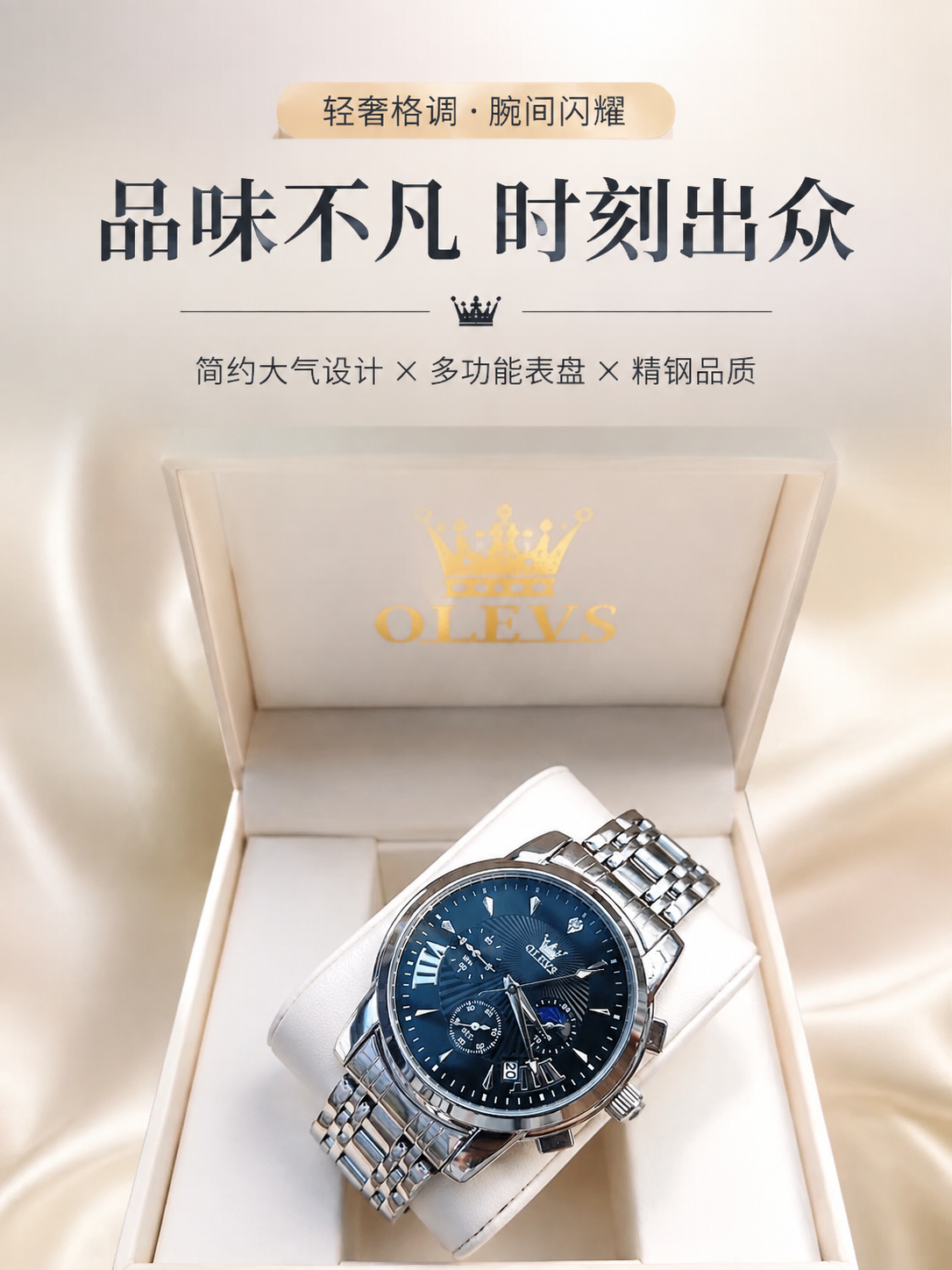
Blue watch: from reference to detail-page hero
The public workflow uses one watch reference to produce several detail-page sections. This excerpt selects the hero section, starting with one inspectable candidate.
Frequently Asked Questions
Can I reuse the same virtual model across an entire seasonal catalog?
Yes. Keep Image 1 locked to your chosen model reference inside the node graph and swap only Image 2 with each new garment flat-lay.
Does AI Fantas work with mannequin or hanger photos instead of flat-lays?
Yes. Front-facing mannequin and hanger shots work well as Image 2 garment references when combined with clear garment preservation prompts.
How do I inspect garment fidelity before spending credits on video?
Always generate and inspect the static try-on frame first, then feed only the approved image into the first-frame video node.
Related AI Fantas Modules & Channel Playbooks
AI Virtual Try-On
AI virtual try-on and fashion model generation by AI Fantas. Keep collars, prints, and fabric drape accurate across Asian, European, and North American lookbooks.
AI Product Photography
Cloud AI product photography by AI Fantas for Shopify, Amazon, and DTC brands. Replace physical studio shoots with perspective-matched scenes, batch variations, and 4K upscaling.
AI Detail Pages & A+ Visuals
Build cohesive Amazon A+ visual modules, Shopify product sections, and multi-panel marketplace detail pages with consistent lighting using AI Fantas.
Flat-Lay & Hanger to Model
Convert flat-lay, hanger, and ghost-mannequin apparel shots into realistic on-model photos using AI Fantas.
Womenswear & Apparel
AI fashion model shoots from flat-lay garments for global apparel sellers using AI Fantas.