AI Fantas vs. Leading AI Visual Tools: Pick the Right Stack for Your Storefront
Different stages of e-commerce production call for different tools. Explore 8 structured comparisons covering cutout apps, prop staging canvases, design agents, cloud node workflows, and single-vendor video suites, each with real trade-offs and one-click Studio Chat test starters.
Choose Photoroom when you need rapid mobile cutouts and clean white-background SKU exports in seconds. Choose AI Fantas when one product photo must flow into multi-reference lifestyle scenes, virtual try-on, 4K upscaling, and first-frame product videos inside a single cloud node canvas.
Flair.ai and Pebblely are intuitive drag-and-drop canvases for placing cutout bottles into themed prop scenes. AI Fantas goes further when you need multi-turn conversational retouching, multi-reference Node Canvas automation, virtual fashion try-on, 4K upscaling, and anchored product videos in one place.
Lovart excels when you want one conversational design agent to brainstorm branding boards and creative layouts. When your e-commerce team needs explicit multi-reference node pipelines, predictable per-job credit quotes, automatic refunds on failures, and repeatable SKU cloning, AI Fantas keeps every step inspectable.
Weavy shines for art directors and VFX-minded creators assembling custom generative graphs from scratch. AI Fantas combines a zero-GPU browser Node Canvas with multi-turn Studio Chat, 1-click cloneable e-commerce templates, remote MCP access, and automatic failure credit refunds for fast-moving sellers.
Meitu Design Studio excels at fast Chinese promotional poster templates, portrait retouching, and quick marketplace badges. AI Fantas is built for sellers who want custom non-template studio lighting, side-by-side multi-model selection, reusable node pipelines, cross-border Western/Asian lifestyle scenes, and first-frame product videos.
Huiwa is built around quick apparel try-on and domestic social copy workflows. When your team also produces hard-goods hero shots, multi-panel detail sets, cross-border Western/Asian lookbooks, and image-to-video storefront clips inside reusable node graphs, AI Fantas gives you one unified workspace.
LiblibAI is a rich hub for open-source models, community LoRAs, and raw online ComfyUI/WebUI parameter tuning. AI Fantas hides sampler, plugin, and weight complexity behind conversational Studio Chat and curated cloud Node Canvas cards, built so e-commerce teams ship product heroes, virtual try-on, and videos without maintaining custom node dependencies.
Jimeng AI (Dreamina) is fast and fluid when you want single-vendor creative images and short clips in one model family. When commercial e-commerce teams need to compare multiple image, 4K upscale, and video models side by side and lock multi-reference workflows into cloneable team nodes, AI Fantas removes single-vendor lock-in.
Why do AI Fantas comparison pages list scenarios where competitors win?
Honest engineering boundaries save teams weeks of trial and error. If you only need rapid mobile PNG cutouts or custom open-source LoRA training, specialized tools make more sense; AI Fantas stands out when unifying multi-reference staging, virtual try-on, 4K upscaling, and product video in one cloud node workflow.
Do I need local GPUs or multiple subscriptions to test AI Fantas against my current tool?
No. Everything runs in Chrome or Safari with one unified credit balance across Studio Chat, Node Canvas, and remote MCP tools, backed by automatic full credit refunds on upstream failures.
Choose a workflow around the deliverable
A single hero image, an on-model composition and a reusable pipeline need different starting points. Validate one real product before expanding.
One hero image or a focused edit
Start in Studio Chat with a product reference. Describe what must stay the same and what should change, then inspect one candidate.
Use photography or measurement to establish real dimensions, structure and materials. If you need custom weights, samplers or plugins, evaluate a local workflow and its upkeep.
These two steps come from published AI Fantas community workflows, with references, original prompts and creator credits. They are not a controlled four-tool comparison and do not establish that every generation will match the historical result.
Product photography
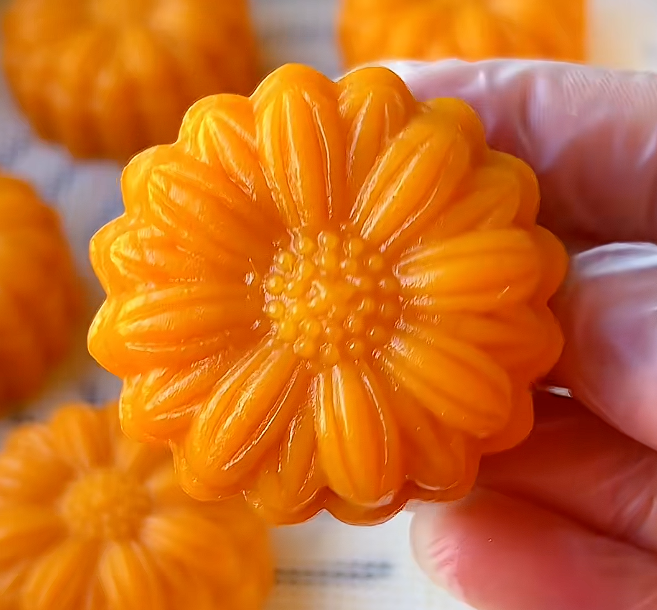
Mooncake product photo: from crop to clean hero
Both the crop and the output are present in the public graph. Establishing a clear product image first makes later packaging branches easier to review.
Original workflow creator: lyy · Case record reviewed
Step referenceHistorical output from this step
Historical settings: Fantas V2 · 3:4 · 1k
Read the original node prompt (Chinese)
极简白底商品主图,柔和棚拍光,主体清晰居中,突出材质、结构和高级感,干净电商摄影风格。
Inspect before use
Compare the flower-shaped edge, surface texture and color.
A cropped image does not establish the real product dimensions.
Review later packaging, text and food claims separately.
This loads references and an adapted starter for review. Select a model, check its reference limit and credit quote, then generate when ready.
Virtual try-on
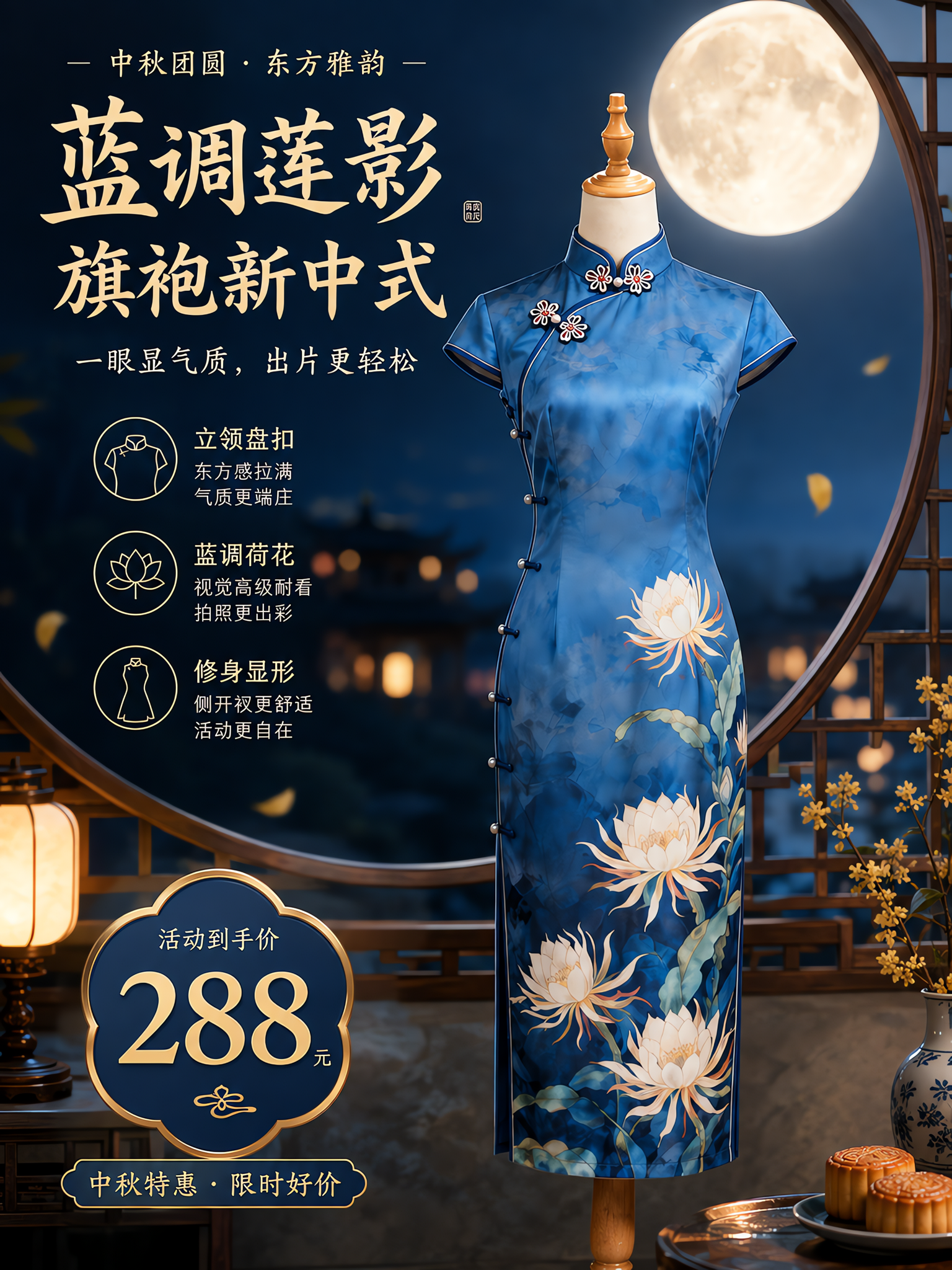
Blue qipao: a two-reference fashion composition
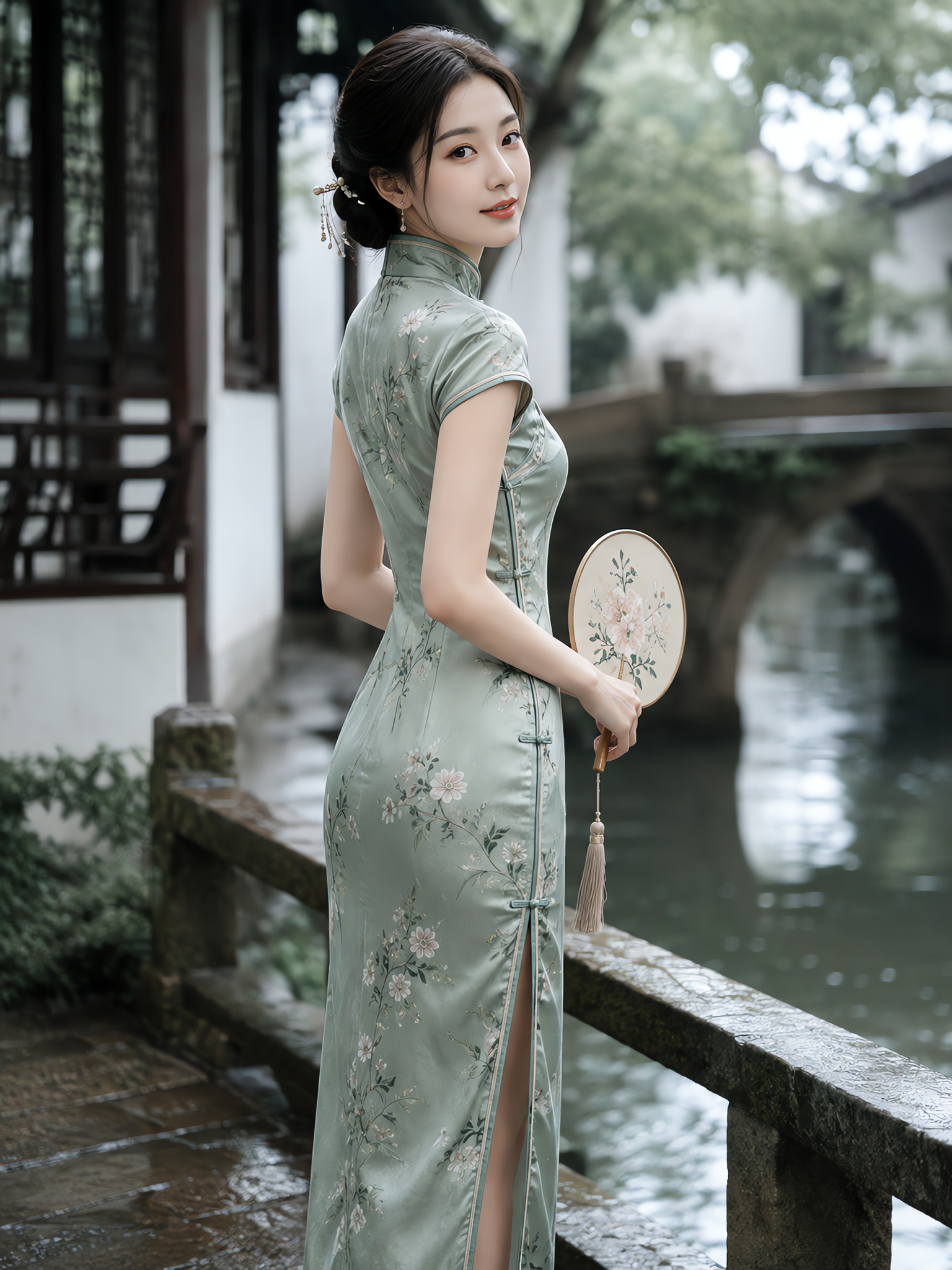
This is a multi-step workflow. The selected node receives two intermediate references, one for the model and one for the garment. Name their roles when recreating it.
Original workflow creator: lyy · Case record reviewed
Model and pose referenceGarment referenceHistorical output from this step
Historical settings: Fantas V2 · 3:4 · 2k
Read the original node prompt (Chinese)
Mark elements: 旗袍 @图1 的模特换上 @图2 的蓝色旗袍,手扶着窗户,生成新的商品主图
Inspect before use
Inspect the collar, closures, slit and blue print placement.
Check hands, sleeve edges and contact with the window.
A styling visual does not establish real sizing or fit.
This loads references and an adapted starter for review. Select a model, check its reference limit and credit quote, then generate when ready.
Model labels and settings come from the public record and may differ from current availability. The record does not establish elapsed time or settled cost. Check the live workspace quote.
Include revision and review in the cost
Compare the same product, use, aspect ratio and delivery requirements. Save the input, prompt, selected model and candidates so the comparison can be checked.
Record the model, output settings and credit quote before generating.
Track candidate attempts and the lettering, shape or color issues that need correction.
Record manual review and finishing time separately from generation cost.
Approve one image before expanding into a set, upscale or video.